Systematic AI
for design.
Seventeen product designers, and no shared answer to a new question: where does AI actually belong in our process? My design lead asked me to work out how we should operate — and to build that way of working, not just recommend one.
GoalsTurning the product design process into a systematic, agentic way of working — so designers can shine where it matters most.
- Understand — the right research method, first time
- Define — framing that fits the actual problem
- Explore — concepts from a brief, not a blank page
Comprehensive system of working with AI
Methodology + flexible skills
The methodology skill works alongside the flexible ones, keeping designers aligned across a big team.
Cross-function update
design.md is shared across product development — from the design system through to Storybook in the code, so everyone works off the same source.
SDD handover
Spec-driven development — a new way of handing over that speeds up production.
Business goal
Speed up the right steps
Not every part of the process needs the same amount of time. AI takes over the repeatable, low-judgment work — research synthesis, first drafts, compliance checks — so it stops eating hours that should go to actual design thinking.
Raise the quality bar, not just the pace
The time that frees up doesn't disappear — it goes back into the calls only a designer can make: framing the right problem, committing to a direction, and getting the craft details right before anything ships.
Understanding the
team context.
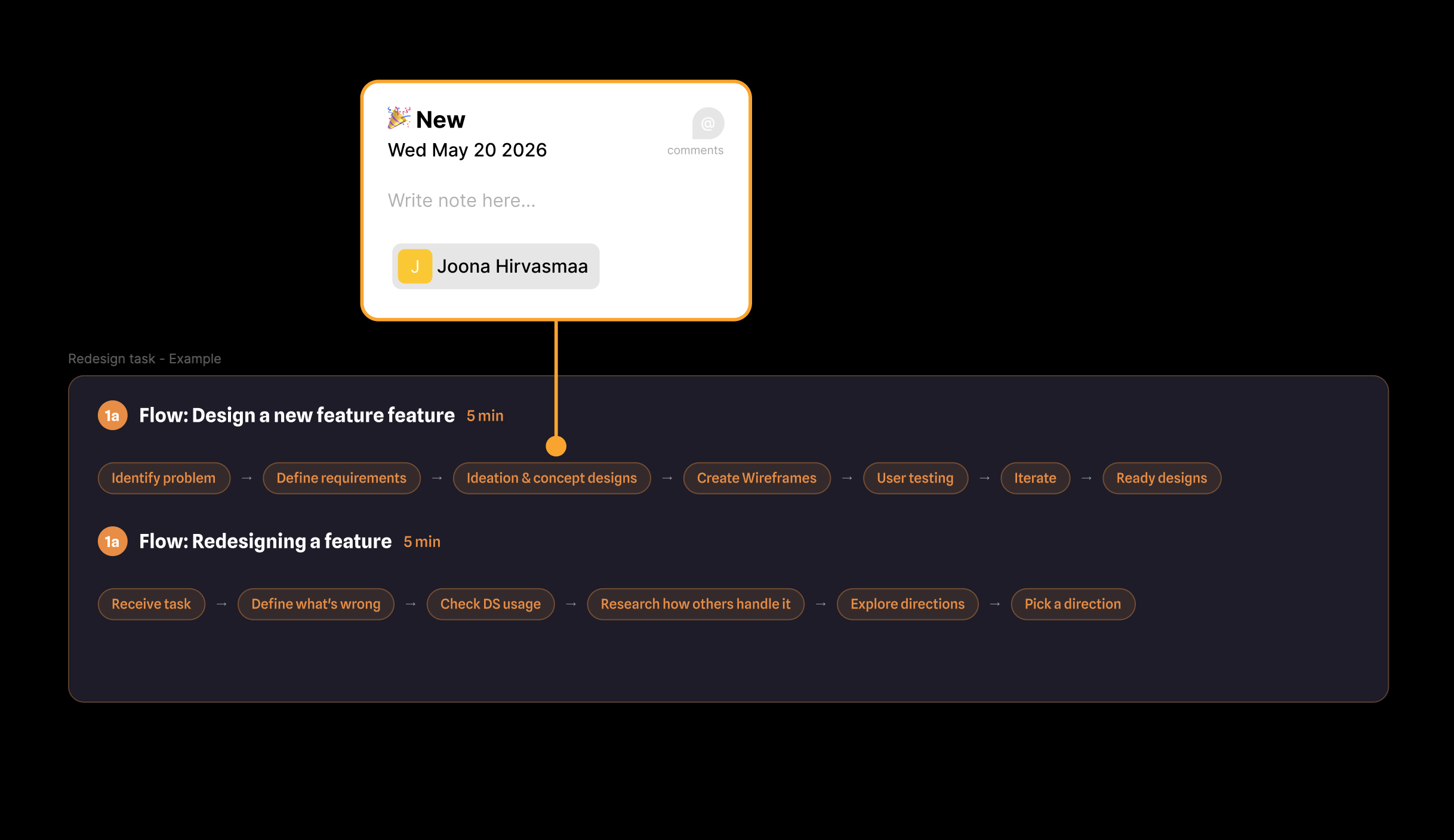
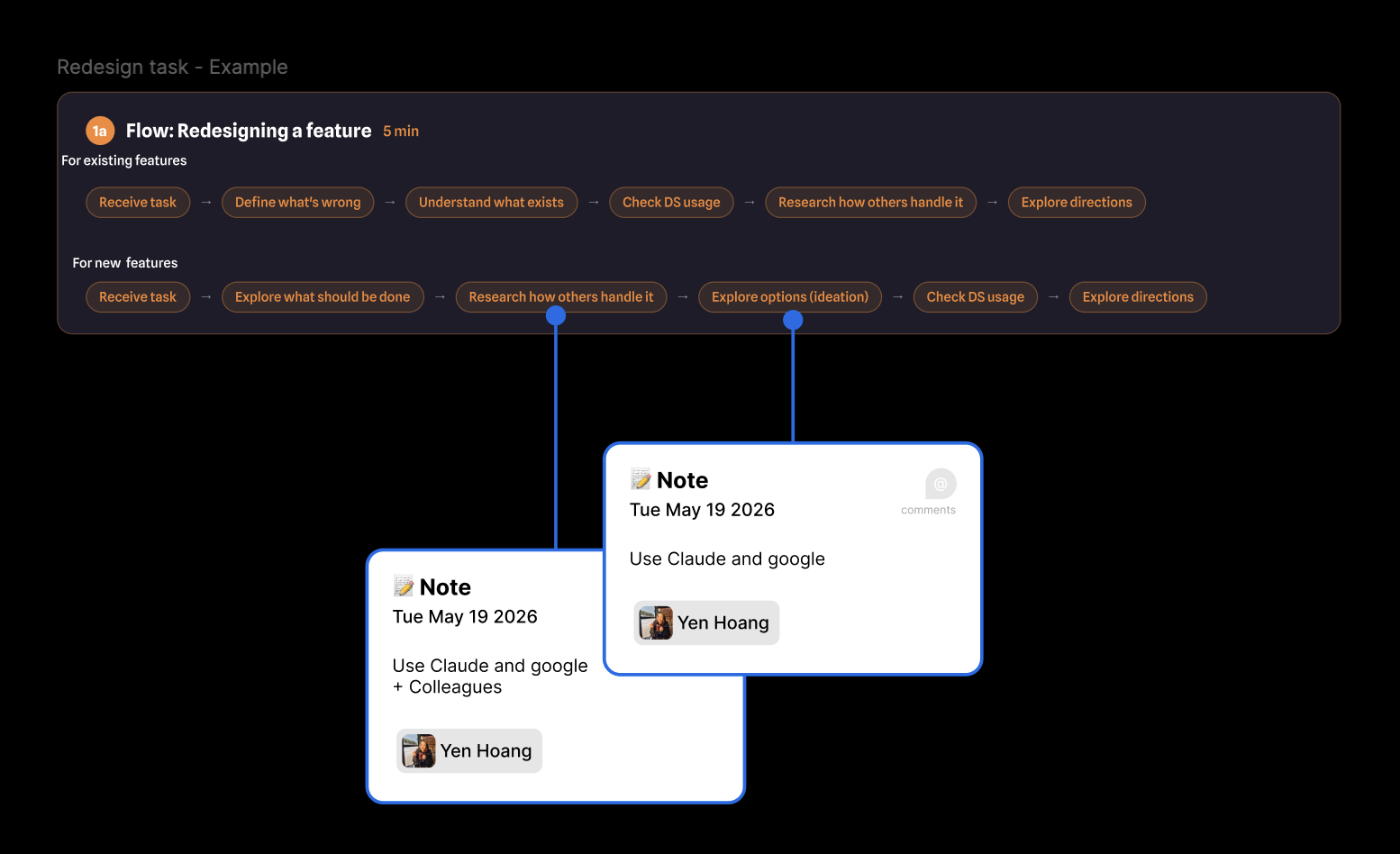
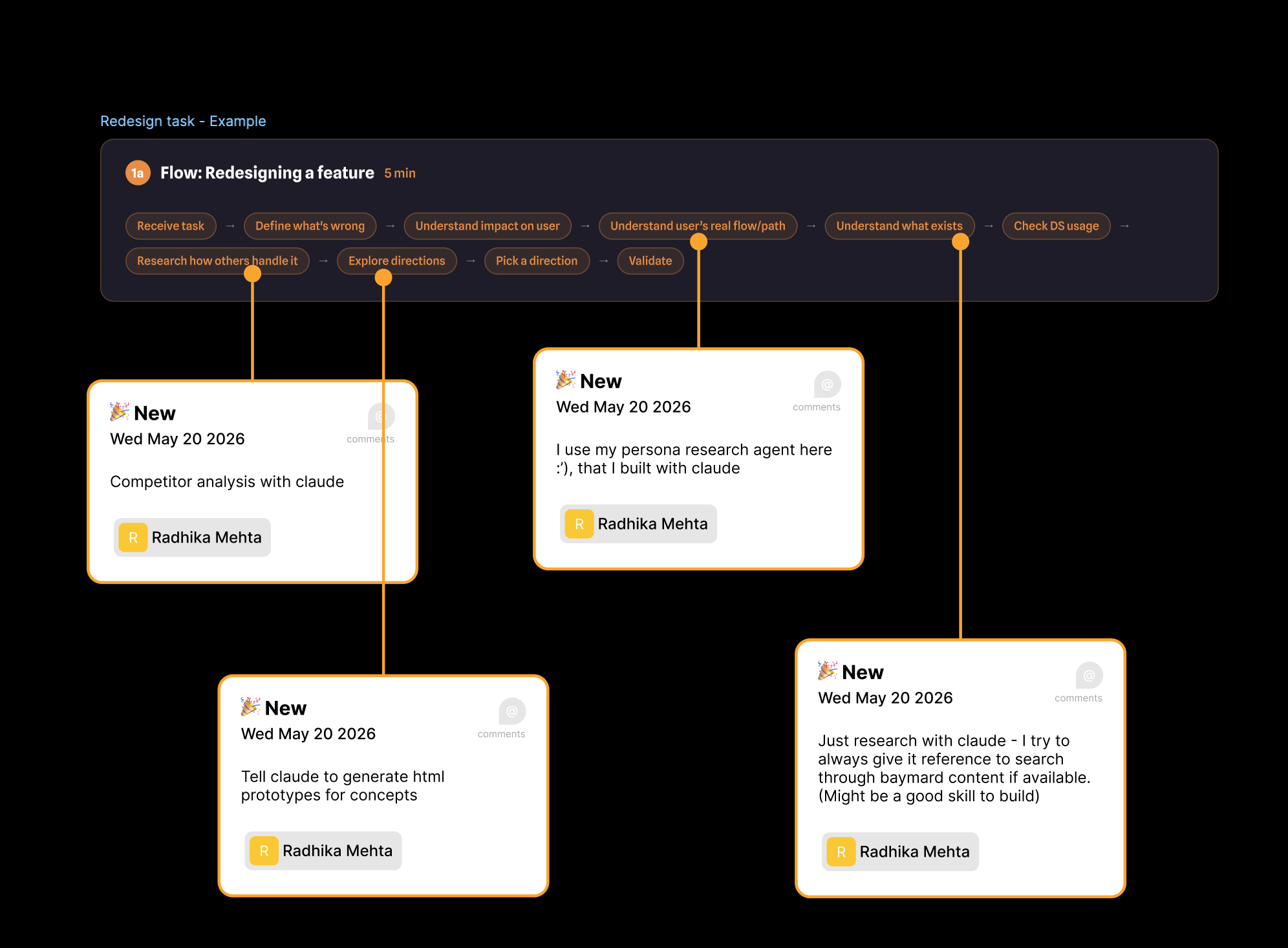
It started with internal research: understanding how 17 product designers, across different levels of expertise and different kinds of design tasks, were actually already working — to see what could be improved. Each designer had their own way of moving through the double diamond — but the tedious, repetitive steps mapped across all of them into one faster, cohesive way of working, with Claude's support. Humans stay in the loop at every decision point.
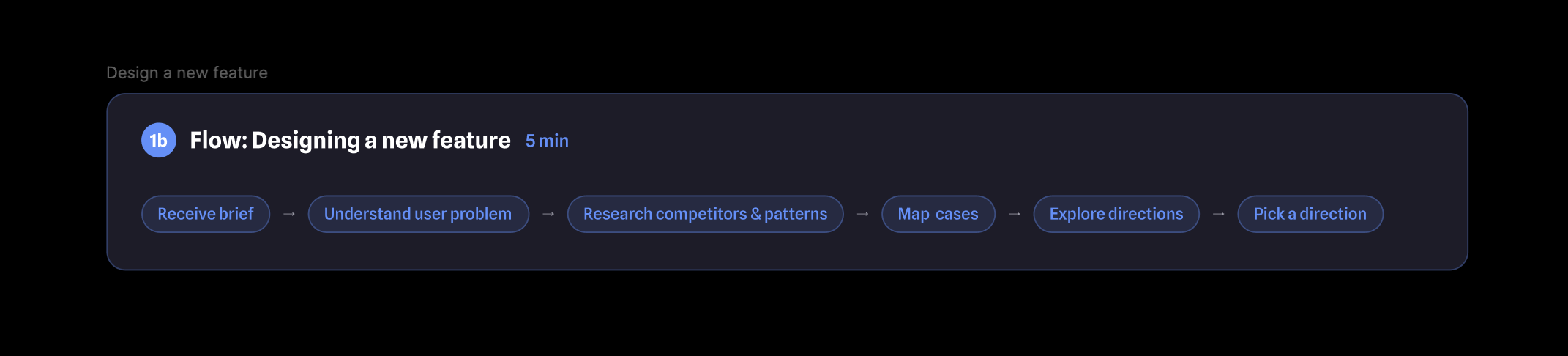
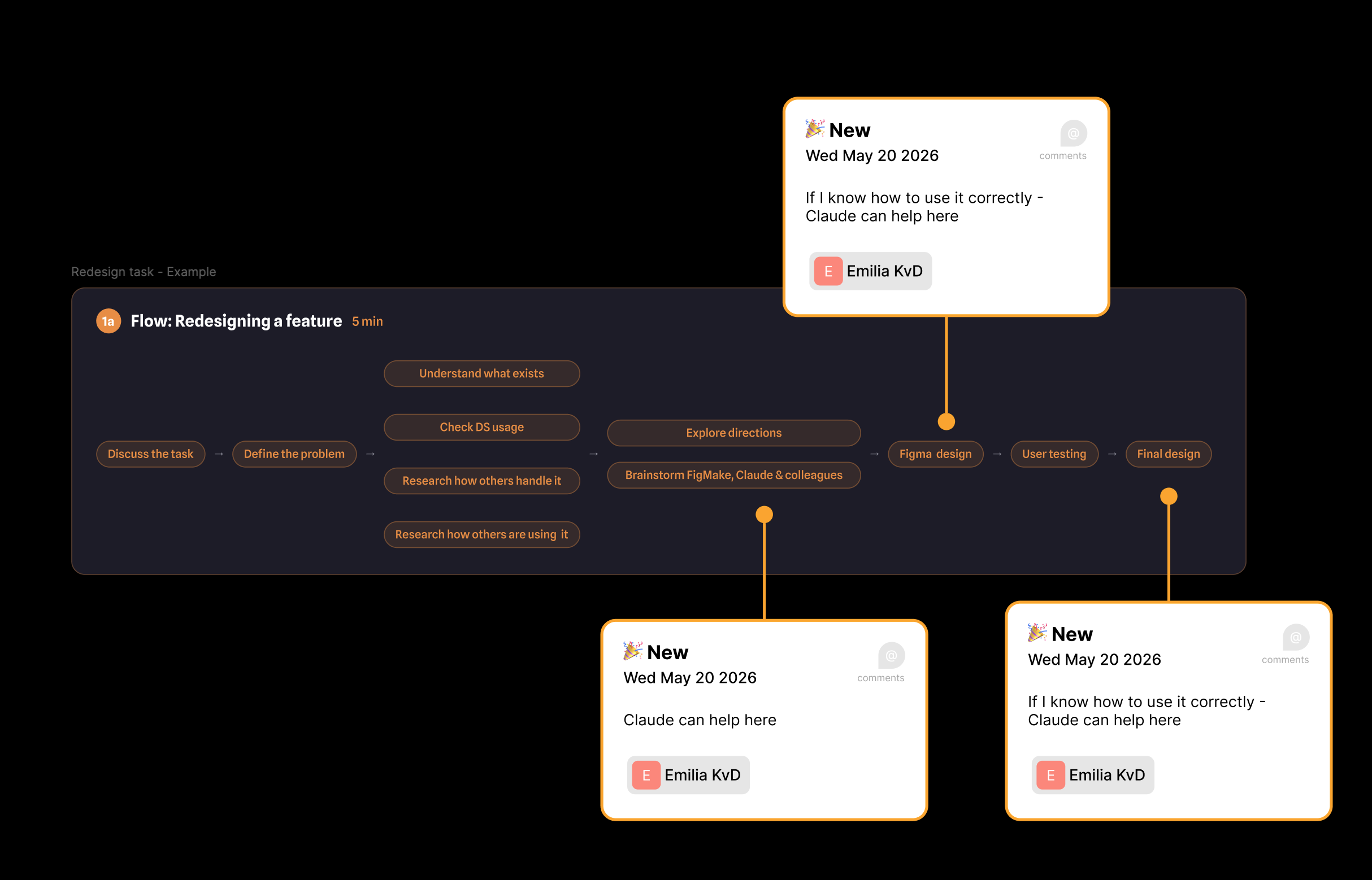
Emilia · redesign task
Joona · redesign task
Yen · redesign task
Radhika · redesign task
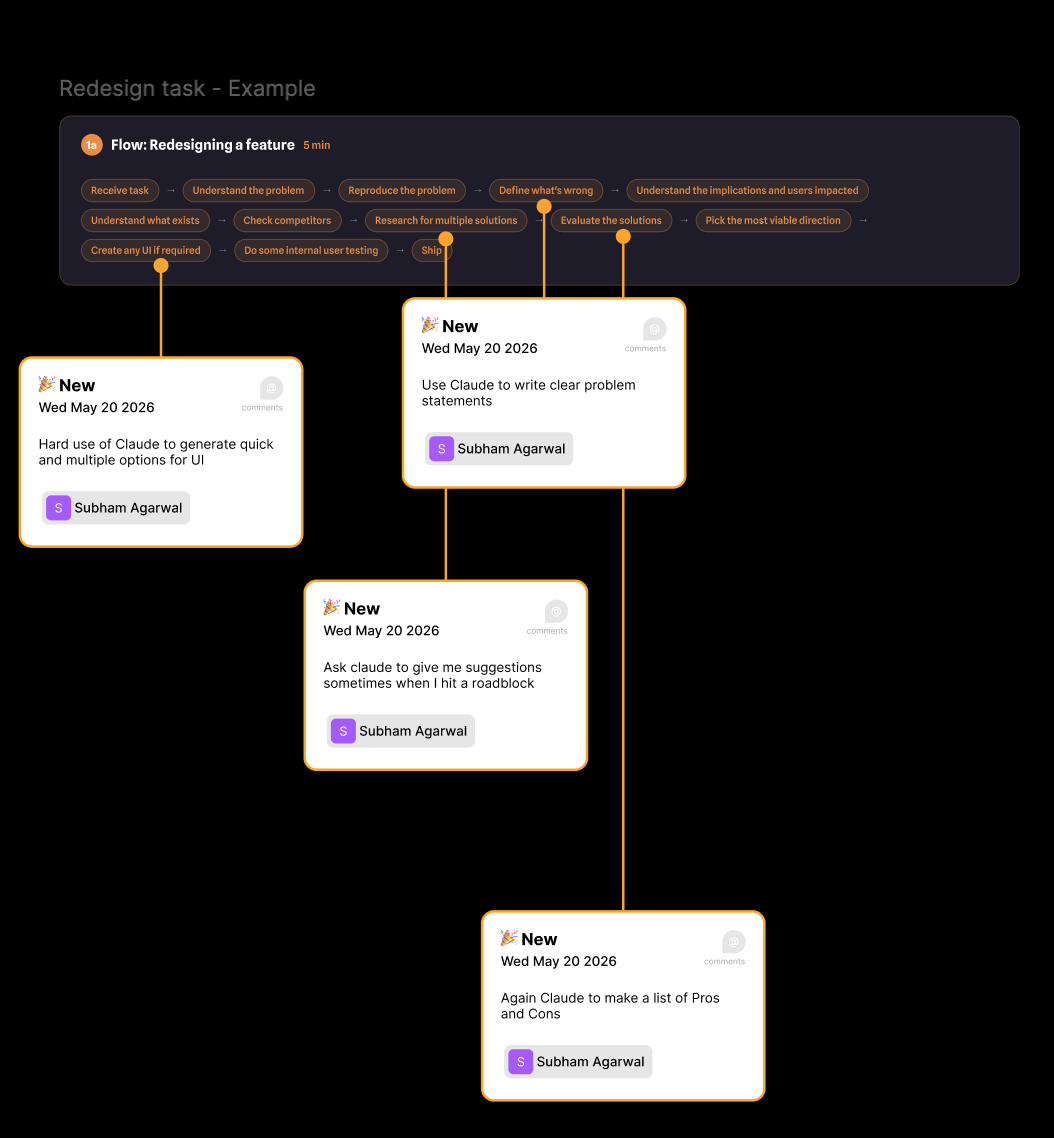
Subham · redesign taskSynthesize results.
Together with my design director, as a lightning talk, we clustered the points we wanted to bring back to the team — across both process and skill.
Sync the team on shared methodology
Designers on the team sit at different levels, and didn't always know which tool fit which stage. Syncing everyone on a shared toolkit — user journey mapping, opportunity–solution trees, heuristic evaluation — closed that gap.
Repetitive steps ate research time
Competitor research was the clearest example — the same repeatable step, redone from scratch by every designer, every time, eating hours that should have gone to synthesis and judgment instead.
Claude writes to Figma, imperfectly
Claude could already push design back into Figma, but with real mistakes. The fix wasn't more prompting — it was writing the process down as a skill (.md) so it held up consistently.
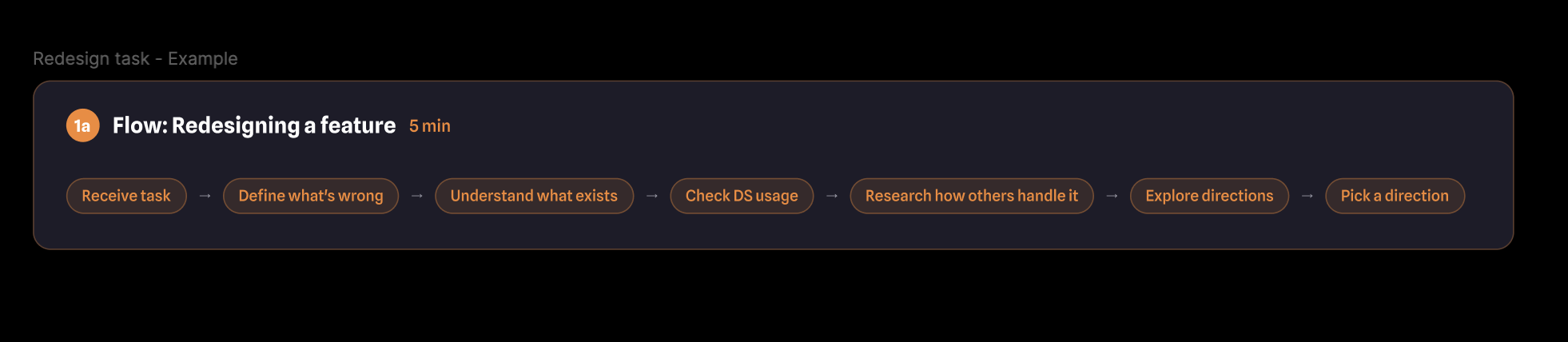
Set of 4 skills aligning the way of working and speed up the tedious tasks.
- Shared Claude skills
Where each skill sits in the process.
Adopt and maintain
the system.
Shipping the skills was the easy part. Making them stick meant documenting them where the team already looks, testing them against real work before rollout, and putting maintenance somewhere everyone can reach.
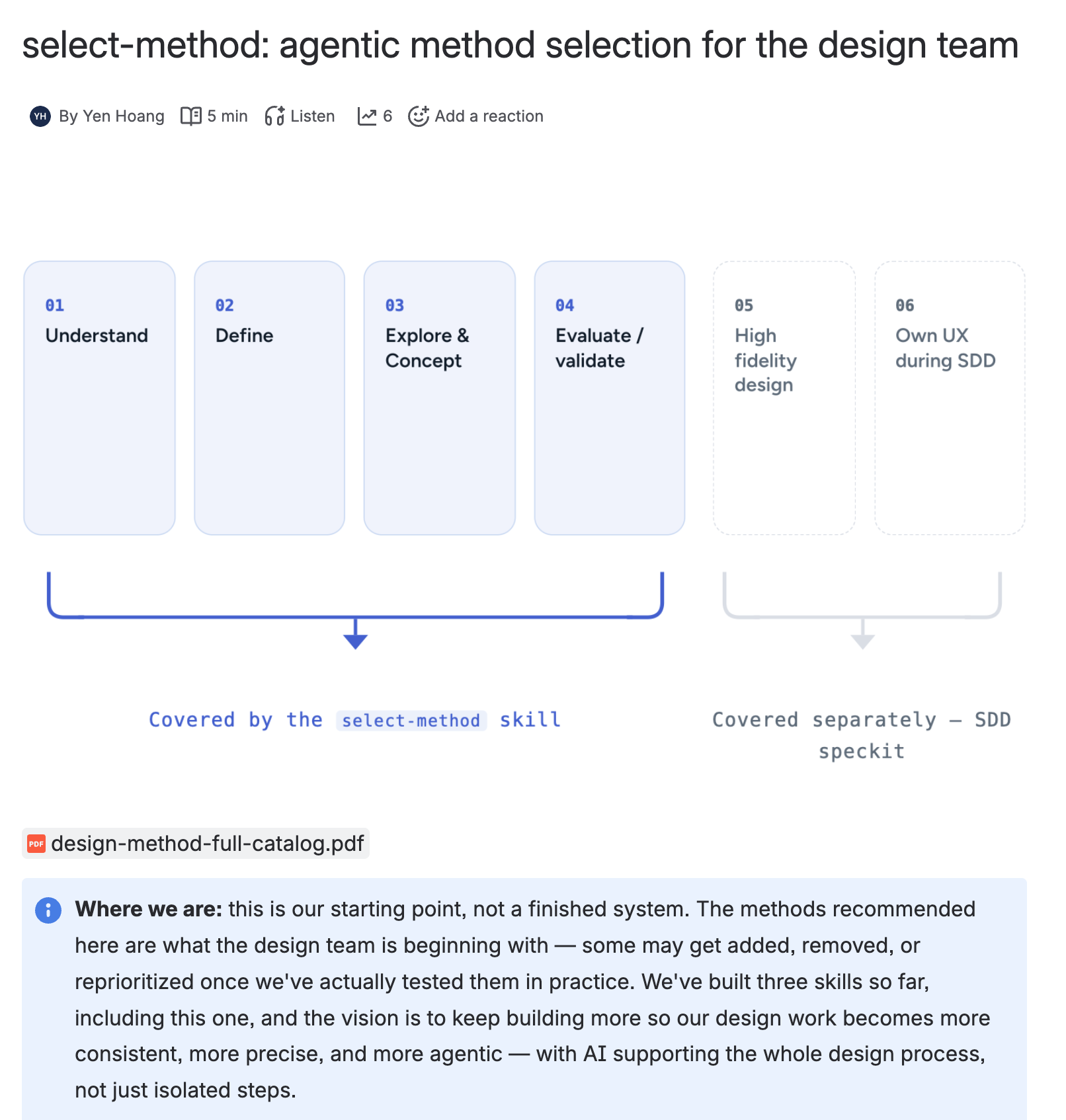
Confluence documentation
A Confluence page per skill, covering how to install it, when it triggers, and what it actually does — so adoption doesn’t depend on me being in the room.
Pretest with the whole team
Every designer ran each skill on their own live work before rollout, which surfaced the gaps between how I wrote the skill and how the team actually works.
Feedback and maintenance in GitHub
The skills live in a shared repository, so feedback arrives as issues and improvements ship as versioned changes — the system keeps evolving without a single owner.
From mfiles-ds2-figma
to a proper design.md.
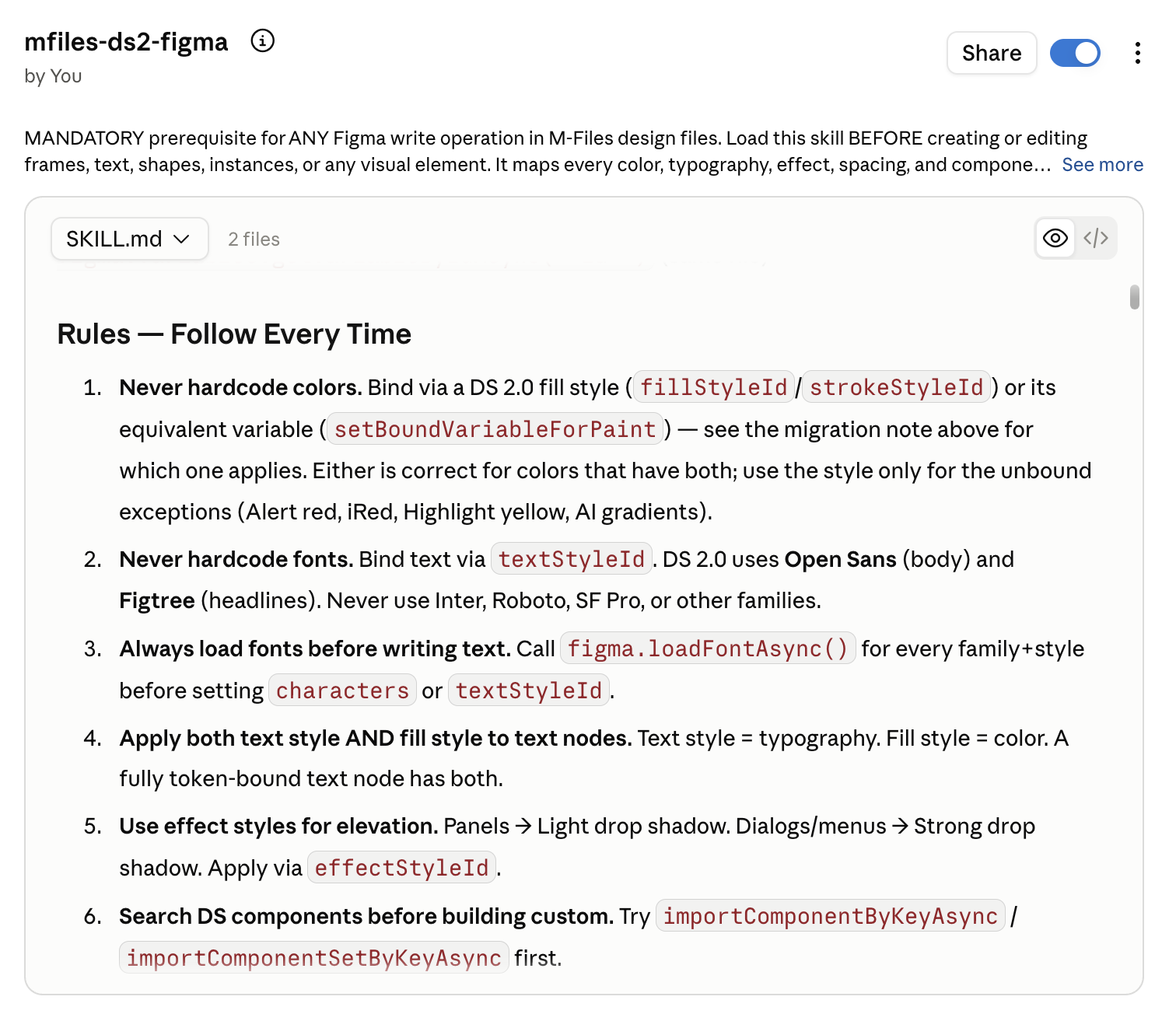
I built mfiles-ds2-figma early, with a view to letting Claude read our design system and write back to Figma — via the Figma MCP and the console — at a quality that actually matches the brand.
Today it’s a dictionary
It knows Night sky 100 is #0A1541. It doesn’t know which token to reach for — so Claude builds screens out of legitimate DS 2.0 values that I still have to redline.
The rules live in my head: Blue moment is the only primary action, buttons are radius 16, never two primary buttons in one footer. None of it is written anywhere an agent can read.
DESIGN.md puts them in the file
Google’s open spec is two layers in one file. On top, machine-readable YAML — colours, type scale, spacing, radii — the exact values an agent can act on. Underneath, a markdown body: why Blue moment is the action colour, and explicit do’s and don’ts.
Values and judgment together — which is why the same file holds up in code and Storybook, not only Figma. One source for designers and developers.
What a real DESIGN.md would carry
Getting here isn’t a design-team job. As a company we need our Storybook ready, built together with the design system team — that’s what makes a shared DESIGN.md possible.
Tokens an agent can act on
YAML front matter holds colours, type, spacing, radii and components as exact values — the normative layer, not prose to interpret.
Rationale underneath
A markdown body explains why — brand personality, the response the UI should evoke — so descriptive names map back to systematic tokens.
Converts both directions
Built on the W3C token format, so it moves between tokens.json, Figma variables, and Tailwind theme configs without a rewrite.
Do’s and don’ts, written down
The last canonical section is the one I most need: the rules that currently live in my head, in a place an agent actually reads.
One agreed section order
Overview, colours, typography, layout, elevation, shapes, components, do’s and don’ts — a shared vocabulary teams can extend.
Designers and developers
The same file holds up in Figma, in code, and in Storybook — the step my designer-only skill can’t take on its own.
Design doesn’t stop
at handover.
Most process models end at Deliver. In spec-driven development, that’s where an extra phase begins — one that runs alongside your developer through implementation, not a single handoff at the end. We work this way as a product team at M-Files, on GitHub’s Spec Kit: /specify the what and why, /plan the how, /tasks the breakdown — then implement. Read more about SDD →
SDD starts here:
guide designers how to
prepare their Figma.
In this way of working, designers prepare the file not just for people to read, but for Claude to read proper layers too. Claude can’t read a prototype yet — but keep it in if it helps demonstrate the flow.
- Name every frame, don't leave any hidden — Claude reads it, and it will question what it finds.
- Bind design tokens to DS 2.0.
- Place your design left to right, following the user story.
Traditional SDD
without design involved.
The traditional chain says nothing about design detail — there is no field for a screen, a token, or a node ID. So it starts with what it does ask for: a first specify.md written from scratch. I started from that very first specify.md for a feature, trying to write the design details in as a source of truth — something the AI can come back to later and check the implementation against.
speckit-input.md is the input for this process.
Learning deeply about
what’s inside SDD.
- Input: speckit-input.md
As the first product team to pilot SDD, I looked on behalf of my team into what actually sits inside the commands and the templates they ship — then adjusted our way of working towards it, to patch the gap where design details go missing on the way to implementation.
Feature Specification
What /speckit.specify writes from your raw description. Structured entirely around user stories and testable outcomes — nowhere in the schema is there a field for a screen, a token, or a node ID.
User Scenarios & Testing
User Story 1 — [Brief Title] (Priority: P1)
- [Why this priority]
- [Independent Test — can this ship and be verified on its own?]
- Acceptance Scenarios: Given [state], When [action], Then [outcome]
Edge Cases
- [What happens when — boundary condition]
- [How does system handle — error scenario]
Requirements
Functional Requirements:
- [FR-001] System MUST [specific capability]
- [FR-002] System MUST [specific capability]
Success Criteria
- [SC-001] [Measurable, tech-agnostic outcome]
Assumptions
[Scope boundaries, dependencies on existing systems]
Implementation Plan
Where technical decisions actually happen — language, dependencies, storage, testing framework. This is the stage that gets specific. It's still nothing about what anything looks like.
Technical Context
- Language/Version
- Primary Dependencies
- Storage
- Testing
- Target Platform
- Performance Goals
Constitution Check
Gate:
Must pass before Phase 0 research. Re-checked after Phase 1 design. [Gates determined by the constitution file]
Project Structure
[This feature's documents: research.md, data-model.md, quickstart.md, contracts/ — plus source code layout: single project, web app, or mobile+API]
Complexity Tracking
[Filled only if Constitution Check has violations that must be justified]
Tasks
Generated from spec.md and plan.md — never from Figma, never from your original input directly. Every line is a task ID, a parallel flag, a user-story tag, and a file path.
Format
[ID] [P?] [Story] Description
Organized by User Story
- Phase 1 — Setup
- Phase 2 — Foundational (blocks all stories)
- Phase 3+ — one phase per user story, priority order
Example line
T012 [P] [US1] Create [Entity1] model in src/models/[entity1].py
Dependencies
Models before services. Services before endpoints. Story complete before moving to the next priority.
Patching the design details gap
with an additional design-UI.md.
I tried SDD again with a new way of working. After the developers run the first specify.md in the code environment, Claude generates a tasks.md and spec.md — and that becomes the source I can judge, writing an additional design-UI.md where it’s needed, against the user stories Claude proposed. My developers get far more control over each story: they don’t have to go back and fix small UI details missing from the implementation, because Claude reads the extra doc and does the proper job first time.
Did this improve speed?
% metrics that show
the impressive result
time saved for designers in the research step
of implementation time reduced with the new way of working in SDD
So, yes — but more importantly,
we have a deeper understanding
of the problem, with AI support.
Humans always in the loop.
What’s next?
Keep updating, testing and improving the Claude skills.
Follow through on design.md.
Take the SDD process out to the whole company.
Grow with AI.